I had a user who complained that he could not delete an item from his calendar on outlook 2007. He was actually trying to open the item on the calendar, but it provided the same results:
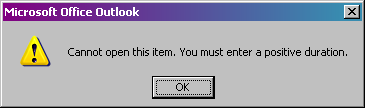
Cannot open this item. You must enter a positive duration.
What the hell does that mean? Basically the user somehow created a task that repeated from today through to the end of the world (infinity). Somehow it wouldn’t move, delete, open, or rename.
Being the network administrator that I am, I took ownership of his mailbox – well technically “Publishing Editor”, but we’ll assume ownership.
OK, I’m going to assume that you have already given yourself permissions to read the user’s mail/calendar by checking the Full Mailbox Access allow box in Active Directory AND have added the mailbox account to your outlook.
Click on Calendars
Check the box next to the Calendar in Mailbox – USERNAMEHERE
Right-click on the Calendar in Mailbox – USERNAMEHERE that shows up on the main screen and select properties
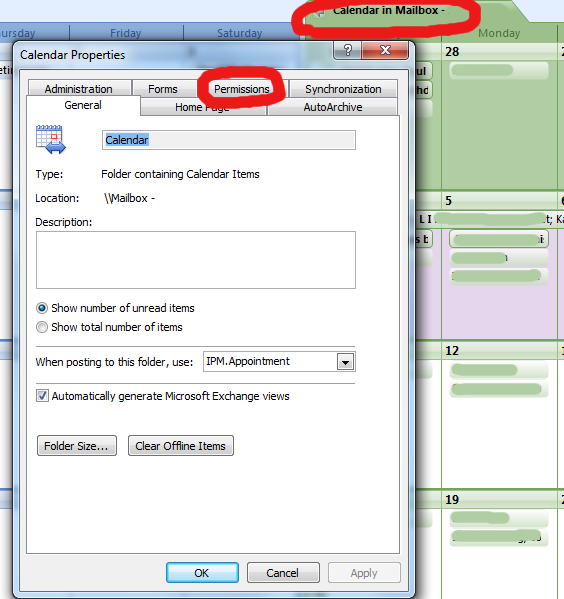
Now click on the Permissions tab
Add your username to the list
Give your username Publishing Editor privileges
Now you can left-click once on the task and hit the magic Delete button. You may or may not still get an error about not being able to save the task, but it will surely go away.
The above error message is happening on my home notebook, not affiliated with any server. It appears when I put in the birthday reminder it did a 12A to 12A date and with a birthday it basically is an infinity item. All my others work fine but recently I received a bunch of MS updates and since then this has been the error message on one birthday only for March 29, stating it is 41 weeks behind. I can find no reference on how to fix this. As noted I had no problems with this until within the last 2 weeks or so, around Christmas.
Another effect is that I send out emails to a group address and all my addresses are receiving the email. Check the outbound mail and none of them show but I am getting acknowledgements from parties not sent to along with a copy of the email sent still not showing their name.
Second part of this is I am on an HP dv6700 Notebook with Vista, which I will tell you is crap as it has had boot up errors from day one with HP’s solution each time I called support to do a complete reload which means reloading all my programs. I contacted the HP CEO via the web who initiated a call but of course now out of warranty and they can’t do anything. Typical HP as they never should have put Vista on their machines. 3 GB of memory and constant failures on boot up of set.